Home / Strategy / Castel War 3D
Castel War 3D
About Castel War 3D
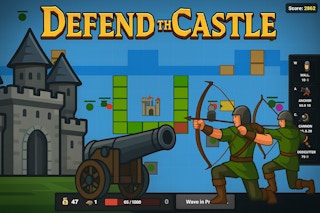
Lead your troops in the relentless 3D warfare of Castel War 3D. Defend your fortress, gather resources, and strategize your attacks. With dynamic tactics needed at every turn, experience the thrill of commanding diverse units and adapting in real-time to secure victory.
How to play
Click Play now above and the game loads right on this page — no download and no sign-up. It is designed for a portrait (phone-style) screen of 600 × 800, and works with mouse, keyboard or touch depending on the title. Use the fullscreen control inside the game for the biggest view.
Tips for strategy games
- Spend your early resources on economy and defence, not on the biggest unit — strategy games punish greedy openings.
- Scout first. Knowing what the enemy sends lets you build exactly the counter instead of guessing.
- If a level keeps beating you, change your build order, not just your timing.
Castel War 3D — FAQ
Is Castel War 3D free to play?
Yes. Castel War 3D is completely free on JoyRealm — no account, no download and no payment. The site is supported by advertising.
Can I play Castel War 3D on my phone?
Yes. Castel War 3D runs in your mobile browser just like on a computer. It is designed in portrait, so it plays naturally on a phone held upright, and works on a computer too.
Do I need to download or install anything?
No. Castel War 3D is an HTML5 game that streams to your browser and runs there. Click Play on this page and it loads in place — closing the tab removes everything.
What kind of game is Castel War 3D?
Castel War 3D is a strategy game with a play area of 600 × 800. You can find more games like it in our Strategy category, linked below the game.
More like this
If you enjoy Castel War 3D, browse the full Strategy category — Plan, build and defend. Strategy games trade reflexes for decisions — every move changes what happens next.
| Category | Strategy |
| Orientation | portrait |
| Game size | 600 × 800 |
| Price | Free |
| Devices | Phone, tablet & computer (browser) |
| Published | July 23, 2021 |